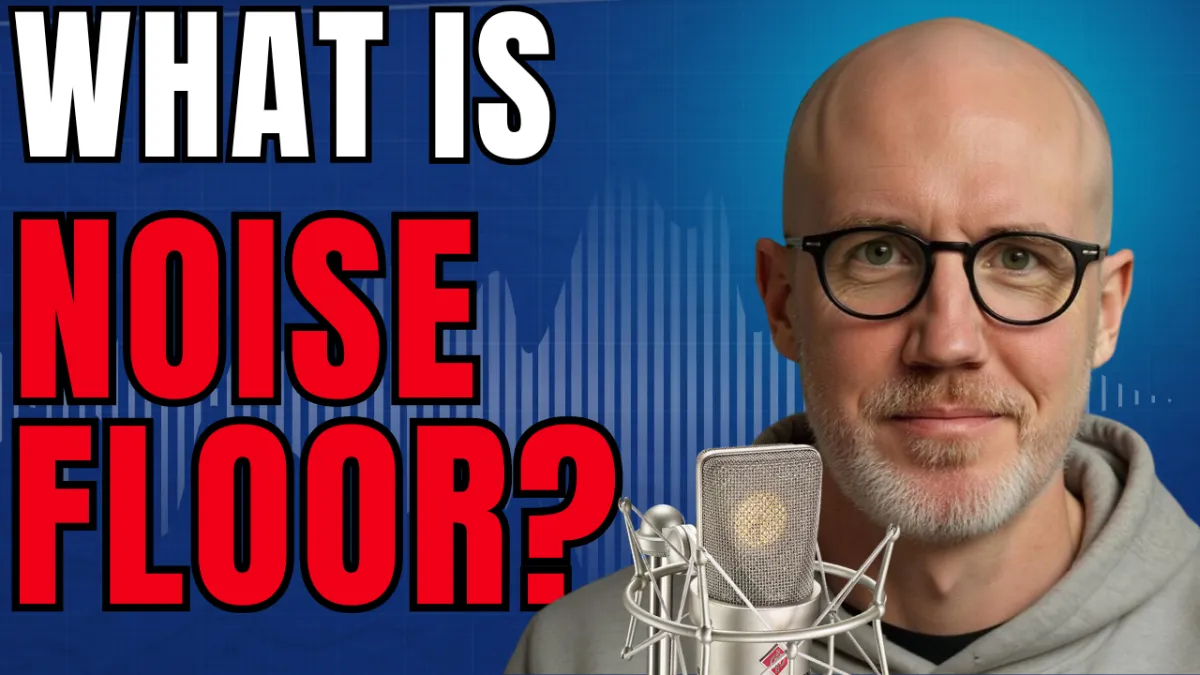
What Is Your Noise Floor? (How to Check & Fix It)
What Is Your Noise Floor? (How to Check & Fix It)
What Is Noise Floor in Voice Over? How to Improve Your Audio Quality and Sound More Professional
If you're getting into voice acting, you've probably heard the term noise floor tossed around in discussions about home studios, microphones, and audio quality. But what exactly is noise floor, and why does it matter so much in voice over?
The truth is, your noise floor can make the difference between sounding like a professional voice actor and sounding like someone recording in a noisy bedroom.
In this guide, we'll break down what noise floor is, how to measure it, common mistakes voice actors make, and how to improve your recordings without spending thousands of dollars on expensive gear.
What Is Noise Floor?
Simply put, noise floor is the sound of your recording environment when you're not speaking.
It's the ambient noise that exists in your recording space and gets picked up by your microphone. This can include:
Air conditioning units
Computer fans
Traffic noise
Neighbors
Dogs barking
Electrical interference
HVAC systems
Outside conversations
Even if you don't consciously hear these sounds, your microphone often does.
Many beginner voice actors assume their microphone is the problem when their audio doesn't sound professional. In reality, the recording environment is usually the biggest factor affecting sound quality.
How to Check Your Noise Floor
Fortunately, checking your noise floor is simple.
Here's a quick method you can use in virtually any DAW (Digital Audio Workstation):
Step 1: Set Up Your Recording Space
Close the door to your recording area and make sure everything is configured exactly as it would be during a normal recording session.
Step 2: Record Silence
Open your DAW and hit record.
Remain completely silent for 10 to 15 seconds.
Step 3: Measure the Noise
Highlight a portion of the silent recording and play it back while watching your DAW's level meter.
The meter will show you the level of background noise present in your space.
What Is a Good Noise Floor for Voice Over?
The generally accepted target for professional voiceover recordings is:
-60 dB or lower
If your noise floor measures:
-60 dB or below: Excellent
Slightly above -60 dB: Usually fixable
Well above -60 dB: You may need significant improvements to your recording environment
Don't panic if you're slightly above the target. Most home studios can be improved without major renovations.
The Biggest Noise Floor Mistake New Voice Actors Make
One of the most common mistakes beginner voice actors make is trying to fix a bad recording environment with audio processing.
They pile on:
Noise reduction plugins
Filters
Gates
EQ adjustments
Audio restoration tools
The result?
Recordings that sound:
Artificial
Phasey
Metallic
Underwater
Overprocessed
When it comes to voice over audio quality, less is almost always more.
A clean recording captured correctly will outperform heavily processed audio every time.
Why Expensive Microphones Won't Fix Noise Floor Problems
Many voice actors assume upgrading to a premium microphone will improve their audio quality.
Ironically, the opposite can happen.
High-end microphones are often much more sensitive than entry-level microphones. That means they pick up even more of the room around you.
A $1,000 microphone placed in a poorly treated room will often sound worse than a modest microphone used in a well-treated recording space.
Before upgrading your microphone, focus on improving your environment.
Common Causes of High Noise Floor
Several factors can contribute to excessive background noise:
Environmental Noise
Air conditioning systems
Ceiling fans
Refrigerators
Outside traffic
Household appliances
Poor Booth Construction
Gaps in doors
Unsealed seams
Thin walls
Inadequate acoustic treatment
Improper Gain Settings
Many voice actors accidentally amplify their room noise by setting their microphone gain too high.
Remember:
When you increase gain, you're not just turning up your voice.
You're turning up everything in the room.
How to Set Proper Gain Levels
A good starting point for most voiceover recordings is:
Peak speaking levels between -12 dB and -9 dB
This provides:
Strong signal strength
Plenty of headroom
Lower background noise
Cleaner recordings
If you're yelling or performing energetic commercial reads, you may need less gain.
If you're whispering or performing intimate narration, you may need slightly more.
The key is finding the sweet spot that captures your voice without excessively amplifying your environment.
How to Improve Your Noise Floor
If your recordings aren't meeting the recommended standards, follow this process.
1. Eliminate Environmental Noise
Start by identifying and removing noise sources whenever possible.
Turn off:
Fans
Air conditioners
Loud electronics
Nearby appliances
Record during quieter times of day if necessary.
2. Improve Your Recording Space
Focus on acoustic treatment and isolation.
Options include:
Moving blankets
Acoustic panels
Bass traps
Sealing gaps around doors
Creating a dedicated recording booth
Improving the room itself often delivers the biggest improvement in audio quality.
3. Adjust Your Gain Properly
Set your gain so that your normal speaking voice peaks around:
-12 dB to -9 dB
Avoid the temptation to crank the gain higher.
4. Use Noise Reduction Plugins Sparingly
Plugins should be your final step—not your first.
Popular options include:
Adobe Audition DeNoise
Waves NS1
iZotope RX
These tools can be extremely effective when used lightly.
However, if you're relying on them to remove massive amounts of noise, the recording will usually suffer.
Think of plugins as cleanup tools, not miracle workers.
Why Audio Quality Matters in Voice Over
Audio quality is one of the foundational pillars of a successful voiceover business.
Even if your performance is outstanding, poor audio quality can prevent you from booking jobs.
Clients expect clean, broadcast-ready audio. Understanding your noise floor and learning how to control it is one of the fastest ways to elevate your recordings and sound more professional.
The good news?
Most noise floor issues can be solved without expensive equipment. By focusing on your recording space, proper gain staging, and light processing, you'll create cleaner recordings that help you compete in today's voiceover marketplace.
Final Thoughts
Understanding noise floor isn't complicated, but it is critical.
Remember these key takeaways:
Noise floor is the sound of your room when you're not speaking.
Aim for a noise floor of -60 dB or lower.
Improve your recording environment before upgrading your microphone.
Set proper gain levels between -12 dB and -9 dB.
Use noise reduction plugins sparingly.
Focus on clean recordings rather than heavy processing.
Mastering these fundamentals will help your voiceover recordings sound cleaner, more professional, and more competitive in today's industry.
Ready to take the next step? I'm hosting a free 1-hour webinar this Tuesday night at 6:00 PM Pacific / 9:00 PM Eastern where I'll go deeper into everything it takes to start a voice acting career from home—including how to land your first gigs with little to no upfront cost. Plus, everyone who shows up gets a free copy of my book, The Voiceover Blueprint (audiobook and ebook). Sign up using this link.
Download My Latest Beginner Mistakes in Voice Over - Quick Start! https://thevoiceoverblueprint.com/beginner-mistakes
Discover the Voice Over Blueprint™: https://thevoiceoverblueprint.com/vobp
The content on this channel is for educational and informational purposes only. While I share tips, strategies, and guidance based on my experience as a professional voice actor, there is no guarantee of earning income or securing voiceover work by using the information provided. Results vary depending on individual effort, skill level, market conditions, and other factors. Viewers should use their own judgment and take personal responsibility for their voiceover career decisions.

