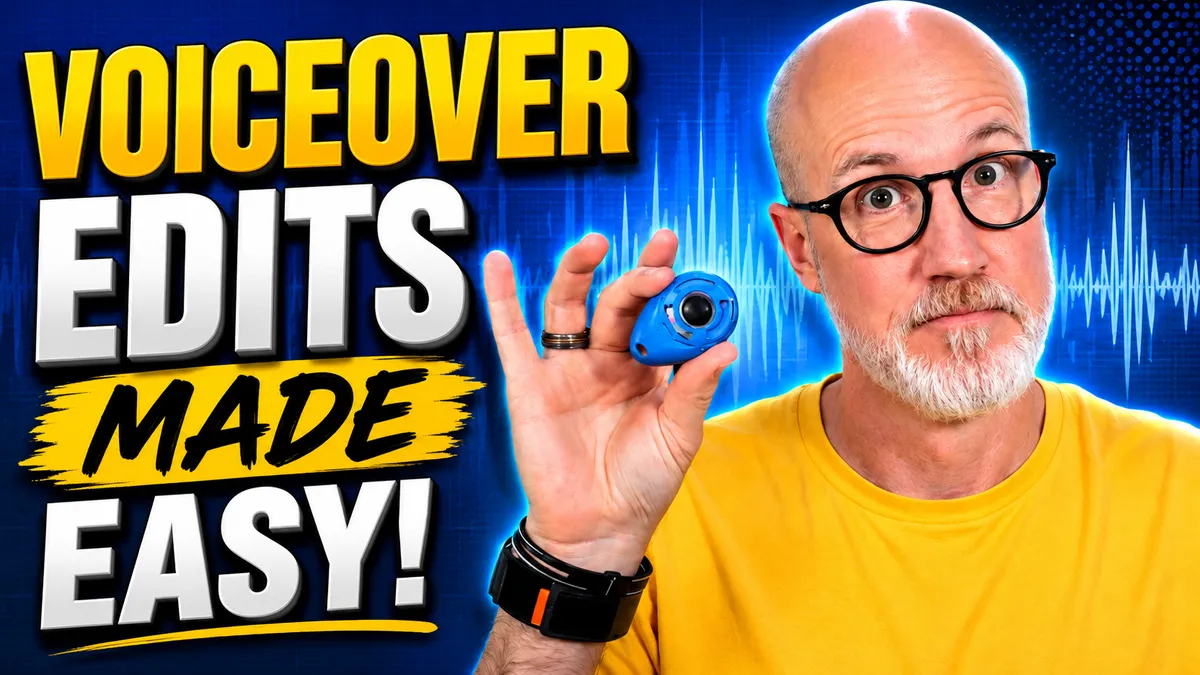
The Dog Clicker Hack That Speeds Up Voiceover Editing
The Dog Clicker Hack That Speeds Up Voiceover Editing
The Simple Dog Clicker Hack That Can Save Voice Actors Hours of Editing
I have a dog clicker.
There are many like it, but this one’s mine.
And believe it or not, this little dog-training tool has become one of the most important pieces of equipment in my voiceover workflow.
Why?
Because I’m a big fan of efficiency. Anything that can shave a few minutes off my workflow is worth considering—especially when those minutes add up over an entire day, week, or year.
And one of the most time-consuming parts of being a professional voice actor is editing.
Recording the script is often the easy part. It’s what happens afterward that can eat up your time: removing mistakes, choosing the best takes, tightening pauses, processing the audio, checking the file, exporting it, and getting it ready for delivery.
So today, I want to share an incredibly simple trick that can make one of those steps much faster.
All you need is a cheap dog clicker.
The Problem With Editing Voiceover Recordings
If you’ve done much voiceover work, you know what happens when you make a mistake.
You’re reading along…
You stumble over a word.
You start the sentence again.
You mess it up again.
You start over.
Eventually, you nail it and keep going.
When you finish recording, however, all those bad takes are still sitting there in your audio file. Now you have to find them.
You could listen to the entire recording from beginning to end, but that takes time.
You could clap, snap your fingers, make a loud mouth noise, or try to remember where your mistakes occurred.
Those methods can work.
But I’ve found something much easier: click every time you make a mistake.
Why Voice Actors Use Dog Clickers
A dog-training clicker is designed to make a very short, sharp sound.
When you're training a dog, that distinctive click can be used to mark the exact moment the dog performs the desired behavior.
Voice actors can use the same principle for something completely different.
Instead of marking good dog behavior, we're marking bad takes.
Whenever I make a mistake while recording, I grab the clicker in my left hand and:
CLICK.
Then I start the sentence or phrase again.
If I mess up again:
CLICK.
And I try it again.
The sound creates a very distinctive spike in the waveform of my recording.
When I finish recording and start editing, those spikes practically jump off the screen.
I immediately know:
There’s a mistake right there.
What the Click Looks Like in Adobe Audition
I primarily use Adobe Audition for recording and editing my professional voiceover work.
When you look at a normal voice recording in waveform view, you see the peaks and valleys created by your speech.
But the dog clicker creates a very obvious visual marker—usually a pair of large, sharp spikes.
That means I can scroll through a recording and immediately identify the areas where I made mistakes.
For example, imagine I recorded a line like this:
“That’s why we’re requiring data centers to pay their share…”
Mistake.
CLICK.
Start again.
“That’s why we’re requiring data centers to pay…”
Another mistake.
CLICK.
Then finally:
“That’s why we’re requiring data centers to pay their full cost.”
Good take.
When I look at the waveform afterward, I don't necessarily need to listen to all three attempts. I can see the click markers and quickly determine where my final good take begins.
Then I highlight the previous attempts and delete them.
Done.
You Can Edit Without Listening to Every Mistake
This is where the real time savings happen.
When you're editing a longer voiceover project, listening to every bad take can dramatically increase the amount of time you spend editing.
With click markers, I can often edit portions of a recording visually.
I see the click.
I see the takes surrounding it.
I identify the final take.
I delete everything before it.
Then I move on.
Obviously, you still need to listen through your final recording and make sure everything sounds right. You’ll also need to perform whatever processing is appropriate for the project.
But you've eliminated a huge amount of unnecessary listening during the initial cleanup.
And if you're recording voiceover every day, those little time savings can really add up.
Do You Have to Use a Dog Clicker?
Absolutely not.
There are plenty of ways to mark mistakes.
You can:
Clap your hands
Snap your fingers
Make a loud mouth noise
Tap something near the microphone
Create another recognizable sound
The goal is simply to create something in the waveform that looks dramatically different from normal speech.
Personally, I like the dog clicker because it's consistent.
Every click produces a sharp, recognizable waveform.
I've actually worn out several of these things over the years. I think I'm on my third one now.
At this point, holding the clicker while recording is almost automatic. I sit down at the microphone, and the clicker goes into my left hand.
It has become part of my recording process.
Small Workflow Improvements Make a Big Difference
A dog clicker obviously isn't going to transform your voiceover career.
But improving your workflow is about finding lots of little efficiencies.
Maybe one trick saves you two minutes.
Another saves five.
Another saves ten.
Multiply those savings across several recording sessions every day, five days a week, and suddenly you've freed up a significant amount of time.
And here's the important part:
The less time you spend editing, the more time you have to find paying voiceover work.
That's one of the biggest lessons I try to teach voice actors.
Being successful in voiceover isn't just about what happens behind the microphone. You're running a business.
You need time for auditions, marketing, following up with clients, contacting prospects, improving your skills, and developing relationships that can lead to future work.
If a $5 dog clicker can help me get through my editing faster, I'm going to use it.
Want to Learn More About Starting a Voiceover Career?
If you're interested in becoming a voice actor—or you're just getting started and have questions about how the business works—I host a free live voiceover webinar every Tuesday at 6 PM Pacific on Zoom.
You can come learn more about the voiceover industry and ask whatever questions you have.
And just for attending, I'll give you a digital copy of my book, The Voiceover Blueprint, along with the audiobook and four additional free gifts.
You can use the link below to register for the next webinar.
Learn How to Record and Edit in Adobe Audition
The recording software I used in this tutorial is Adobe Audition.
If you're new to Audition and want to learn how to use it for voiceover recording and editing, I've also created a complete video walking through the process.
Once you get comfortable with Audition—and start incorporating little workflow tricks like the dog clicker—you can dramatically reduce the amount of time it takes to turn a raw recording into a professional voiceover file.
Because ultimately, that's the goal:
Spend less time editing and more time getting found, getting heard, getting hired—and getting PAID.
Ready to take the next step? I'm hosting a free 1-hour webinar this Tuesday night at 6:00 PM Pacific / 9:00 PM Eastern where I'll go deeper into everything it takes to start a voice acting career from home—including how to land your first gigs with little to no upfront cost. Plus, everyone who shows up gets a free copy of my book, The Voiceover Blueprint (audiobook and ebook). Sign up using this link.
Download My Latest Beginner Mistakes in Voice Over - Quick Start! https://thevoiceoverblueprint.com/beginner-mistakes
Discover the Voice Over Blueprint™: https://thevoiceoverblueprint.com/vobp
The content on this channel is for educational and informational purposes only. While I share tips, strategies, and guidance based on my experience as a professional voice actor, there is no guarantee of earning income or securing voiceover work by using the information provided. Results vary depending on individual effort, skill level, market conditions, and other factors. Viewers should use their own judgment and take personal responsibility for their voiceover career decisions.

